What is KYC verification?
KYC stands for Know Your Customer. It is the set of rules and routines that regulated businesses follow to identify customers and understand the risk they bring. KYC verification, also called a KYC check, is the step where you establish and confirm the customer’s identity.
In most jurisdictions you need at least the customer’s full name, date of birth, address and an identification number. These details are checked against a government-issued document, such as a passport, national ID card or driving license. The ID document a customer presents is often called a KYC ID. Many businesses add a biometric check to confirm that the person presenting the document is its rightful holder.
KYC, KYC verification and identity verification: what is the difference?
KYC is the full framework: customer identification, due diligence and ongoing monitoring
KYC verification is the identification part of that framework, carried out at onboarding and repeated when needed
Identity verification (IDV) is the technology that checks the document and the person. It is used for KYC, but also in age checks and rentals
Why KYC verification matters
Criminals use stolen, forged or borrowed identities to open accounts, launder money and commit fraud. A reliable identity check at onboarding stops them before any transaction takes place.
The Financial Action Task Force (FATF) requires financial institutions to identify customers using reliable, independent sources. This is written into national law, such as the Bank Secrecy Act in the United States, the EU’s anti-money laundering rules and the UK Money Laundering Regulations. Weak controls can lead to fines, lost licenses and reputational damage. Outside finance, the reason is often more direct: a rental car driven away on a forged license is lost revenue.
Who needs KYC verification?
Banks and financial institutions are legally obliged to verify their customers. Other industries face similar rules, or use the same checks to protect high-value assets.
Banks and FX services verify identities when opening accounts, exchanging currency and approving loans. See how 365id supports identity verification for banks and FX services
Digital-first businesses onboard customers remotely and need strong checks without a long sign-up flow. Our SDK for remote onboarding brings the same checks into your own app
Telecom operators verify identities when registering subscriptions and financing devices. Read more about telecom subscriber onboarding
Car rental companies and car dealers hand over valuable assets and, in some countries, accept payments that fall under AML rules. Learn how 365id handles ID checks at the rental desk and identity verification for car dealers
Hotels verify guests at check-in where local registration rules apply, often called Know Your Guest. See how 365id works with guest identity verification at hotels
The KYC verification process step by step
Most KYC processes follow the same sequence:
1
Collect customer information. The customer provides name, date of birth, address and ID number, at a counter or in a digital form
2
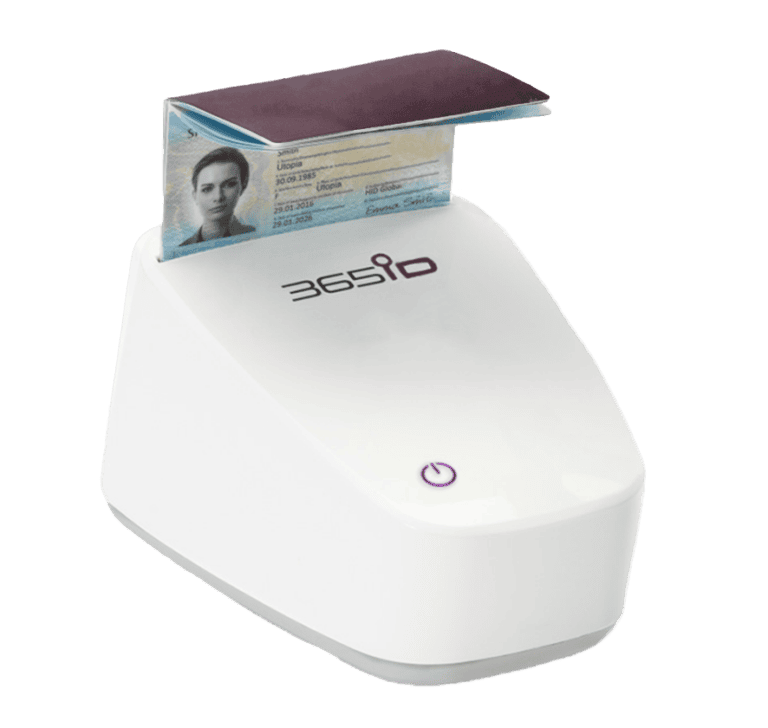
Verify the identity document. The document is checked for authenticity and validity. This includes security features under ultraviolet and infrared light, the machine-readable zone and, if available, the chip
3
Match the person to the document. At a counter, staff compare the customer with the photo. Remotely, a selfie with liveness detection is matched against the document photo
4
Screen against watchlists. The customer is checked against sanctions lists, politically exposed persons (PEP) and adverse media
5
Assess the risk. The customer is given a risk level that decides how much further due diligence is needed
6
Monitor and re-verify. Transactions are monitored over time. The customer is verified again when an ID expires or the risk level changes.
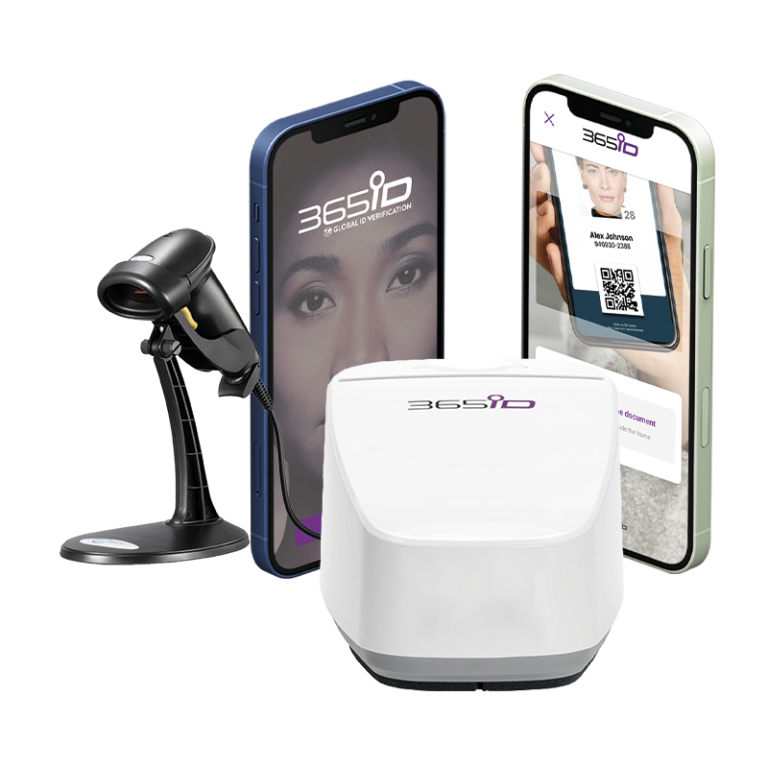
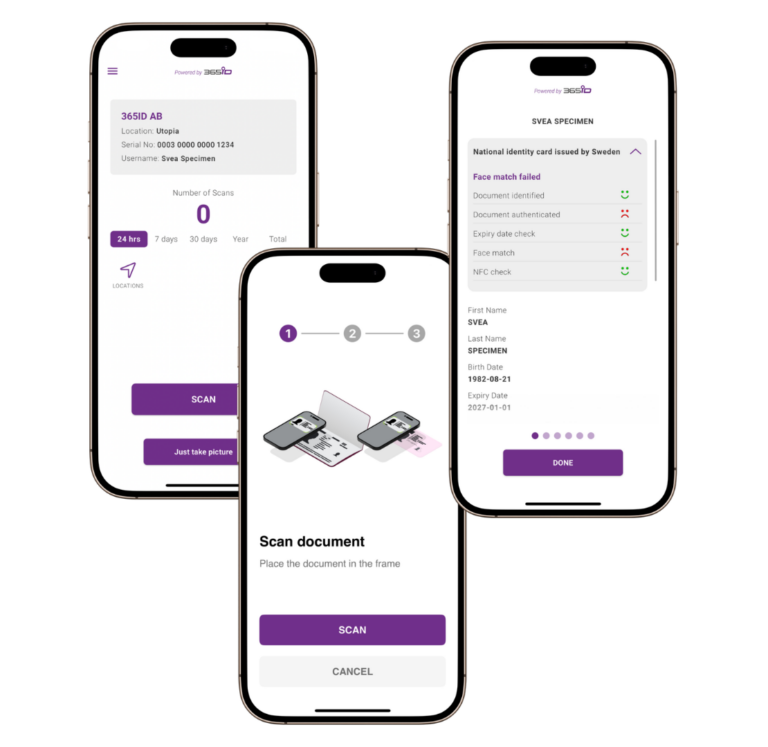
365id verifies the document and captures its data (step 2), and matches the person to the document in the app and SDK (step 3). Verified data is transferred directly to the systems you use for the remaining steps.
CIP, CDD and EDD explained
CIP
Customer Identification Program (CIP) is the US term for the minimum identification requirements when a customer opens an account. In practice, it covers steps 1 to 3.
CDD
Customer Due Diligence (CDD) goes beyond identity. It covers the purpose of the relationship, the source of funds and the customer’s risk profile.
EDD
Enhanced Due Diligence (EDD) applies to high-risk customers, such as PEPs or companies with complex ownership. It requires more documentation and closer review.
In-person vs remote KYC verification
Most KYC guides focus on remote onboarding. Yet a large share of identity checks still happen face to face: at a bank branch, an FX counter, a rental desk or a phone store. Both channels must meet the same standard, but they use different methods and face different risks.
| In-person KYC | Remote KYC (eKYC) | |
|---|---|---|
| Where it happens | Counter, branch, desk or kiosk | Website or mobile app |
| How the document is checked | ID scanner with white, IR and UV light plus NFC chip reading | Phone camera with OCR plus NFC chip reading |
| How the person is matched | Staff compare the customer with the photo | Selfie with liveness detection and face match |
| Main fraud risk | Forged or borrowed physical documents | Manipulated images, deepfakes and stolen identities |
| Typical users | Banks, FX, car rental, hotels and telecom stores | Online banks and digital services |
In-person KYC
- Where it happens
- Counter, branch, desk or kiosk
- How the document is checked
- ID scanner with white, IR and UV light plus NFC chip reading
- How the person is matched
- Staff compare the customer with the photo
- Main fraud risk
- Forged or borrowed physical documents
- Typical users
- Banks, FX, car rental, hotels and telecom stores
Remote KYC (eKYC)
- Where it happens
- Website or mobile app
- How the document is checked
- Phone camera with OCR plus NFC chip reading
- How the person is matched
- Selfie with liveness detection and face match
- Main fraud risk
- Manipulated images, deepfakes and stolen identities
- Typical users
- Online banks and digital services
NFC chip reading gives the highest assurance in both channels, because the data on the chip is digitally signed by the issuing authority. Businesses with both physical and digital channels benefit from a single verification setup, so the same rules and data flow apply wherever the customer starts.
Digital ID documents and the future of KYC
Identity documents are moving into the phone. Mobile driving licenses following the ISO/IEC 18013-5 standard are already issued in several countries. EU member states are rolling out the European Digital Identity Wallet (EUDI Wallet).
For KYC, a screenshot of a digital ID proves nothing. The verifier needs to read cryptographically signed data directly from the customer’s device. This requires hardware and software that support the standard. The 365id Scanner reads digital driving licenses via barcode, QR code, NFC and Bluetooth according to ISO 18013-5. Read more about how to verify mobile driving licenses and digital IDs.

Common KYC verification challenges
Forged documents
High-quality forgeries can pass a visual check. UV and IR imaging and chip reading reveal what the eye cannot see.
Deepfakes and presentation attacks
Fraudsters use printed photos, screen replays and AI-generated faces. Liveness detection confirms that a real person is present.
Drop-off during onboarding
Every extra step risks losing a genuine customer. Automatic document capture shortens the process without lowering the standard.
Manual data entry
Typing names and ID numbers by hand leads to errors and weak audit trails. Transferring data directly from the document removes that risk.
How to choose KYC verification software
When you compare providers, look at:
Document coverage
Broad support for ID documents from around the world and a regularly updated document library that keeps pace with new document designs and security features.
Channels
Can you verify customers at the counter, in a mobile app and in your own digital flow?
Verification depth
Does it check UV and IR security features, read NFC chips and perform liveness detection?
Integration
Can verified data be transferred to your CRM, core banking or rental system via API?
Security and data protection
Is the provider certified for information security, and does it process data in line with GDPR?
Audit trail
Can you show what was verified, when and by whom if a regulator asks?
KYC identity verification with 365id
365id provides ID verification in one ecosystem: scanners, mobile app, SDK and digital ID verification, all on the same cloud platform and REST API. 365id is certified according to ISO 27001, the international standard for information security.
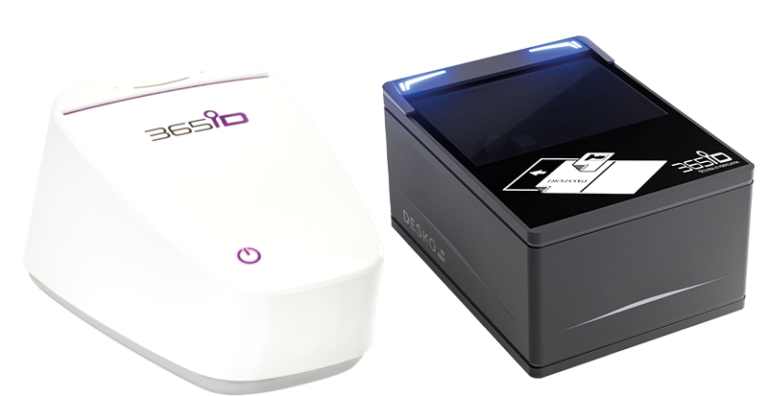
The ID scanner with UV and IR checks images the document in three light types and reads the chip via NFC. Authenticity and expiry date are validated in seconds, and the result appears as green, yellow or red.
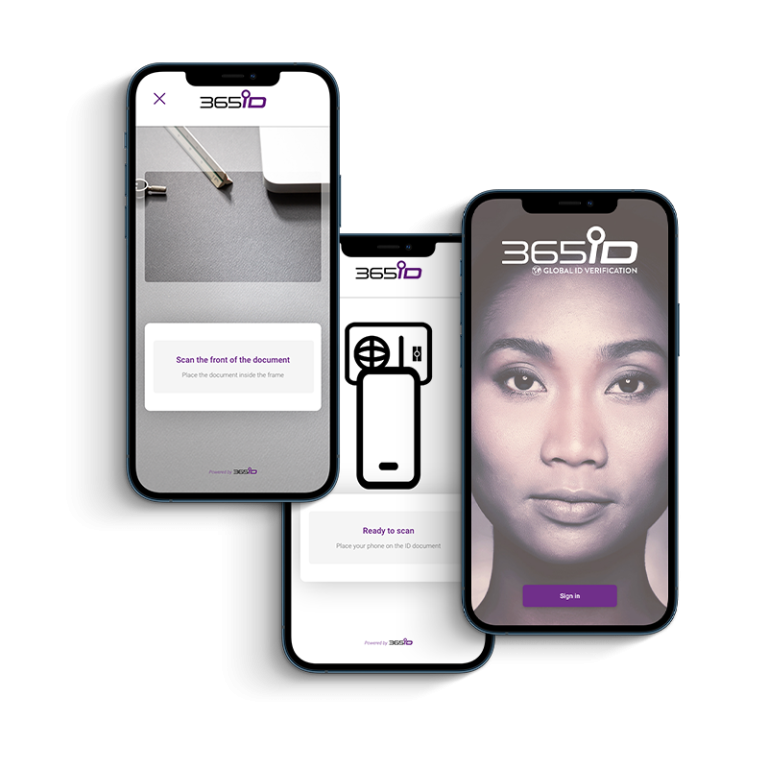
The 365id App lets staff verify customers with a phone, including NFC reading and a liveness and face match check. With the identity verification SDK for iOS and Android, you build the same checks into your own app for remote onboarding.
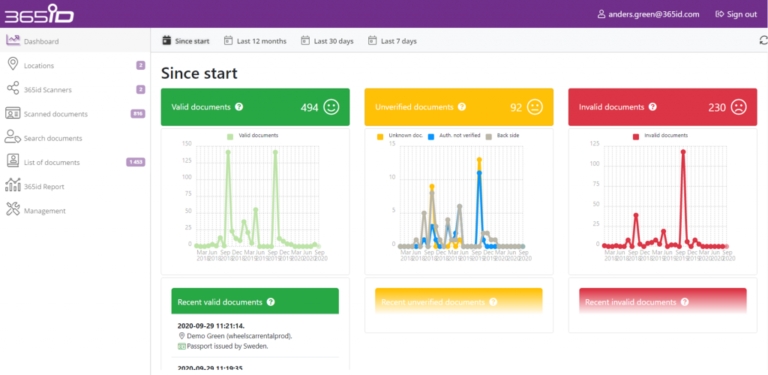
Verified data is sent directly to your business system via REST API, with no manual entry. In the 365id Portal you get an overview of all verifications across your locations.
365id handles the identity verification part of KYC. Screening against sanctions and PEP lists, risk scoring and transaction monitoring are done in your AML system, to which 365id transfers verified customer data.
Trusted by




Frequently asked questions about KYC verification
How does KYC verification work?
The customer provides personal details and an identity document. The document is checked for authenticity and validity, and the customer is matched to the document photo. The verified data is then used for watchlist screening and risk assessment.
How long does KYC verification take?
ID document verification can take just a few seconds. The full KYC process may take longer, depending on the checks required and whether a manual review is needed.
What documents are needed for KYC verification?
Usually, a valid government-issued photo ID, such as a passport, national ID card, or driving license. Some businesses also require proof of address, such as a utility bill.
What is the difference between KYC and AML?
AML (anti-money laundering) is the overall framework of laws and controls that prevent money laundering and terrorist financing. KYC is one part of AML and focuses on identifying customers and understanding their risk.
Can KYC verification be done in person?
Yes. Many banks, FX services, rental companies and stores verify customers face-to-face. An ID scanner that checks UV and IR features and reads the document chip gives a high level of assurance.
Is KYC verification safe for customers?
Yes, when the data is handled correctly. Choose a provider with recognized security certification, encrypted data transfer and GDPR-compliant processing. Store only the data you need, for as long as the law requires.