365id & Apaleo integration

Why integrate?

With an ID Verification solution from 365id, the correct customer information is transferred quickly, easily, and securely to your existing business system for further processing.

  • Faster customer process
  • Improved customer experience
  • Secure customer onboarding

How does it work?

Integrate with Apaleo PMS to take advantage of an intuitive, feature-rich booking platform. Experience seamless, fully automated customer data transfer for enhanced efficiency.

Apaleo and 365id have teamed up to serve hotels worldwide. Through this integration, personal data from guest documents auto-fills the guest profile in Apaleo, with the option to store document images – eliminating the need for photocopying.

About Apaleo

Apaleo is a property management system designed to improve and automate all operations for modern hoteliers and their guests. Apaleo simplifies all aspects of running a hotel and reduces staff time spent in front of screens so they have more time to spend with guests. Apaleo is:

  • Flexible
  • Cloud-based
  • User friendly
  • Customized

The integrated Apaleo Payments ecosystem also makes every transaction secure and seamless.

Apaleo Manual

Connecting 365id to Apaleo PMS for the first time:

  1. Go to Apaleo Store
  2. Search for the 365id app 
  3. Click on the “Connect app”
Apaleo connect knapp

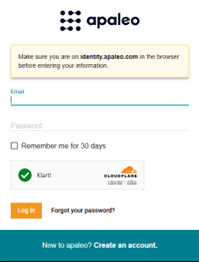
When you click Connect App, you will need to log in if you haven’t already done so.

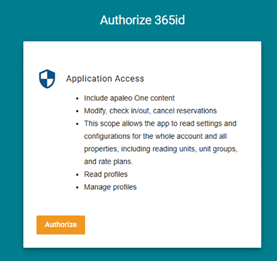
The application authorization page will display the permissions the app is requesting. Click ‘Authorize ‘ to proceed and confirm the connection.

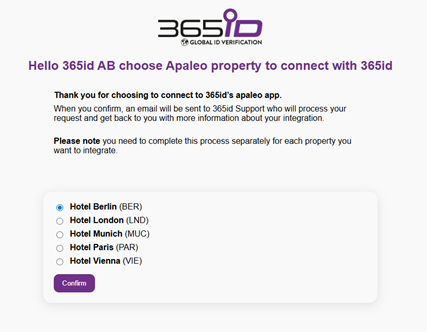
After clicking “Authorize”, a box will appear where you need to select the hotel you are using and then click “Confirm”. If you want to add more hotels you will need repeat all steps once again (from the connect app). 

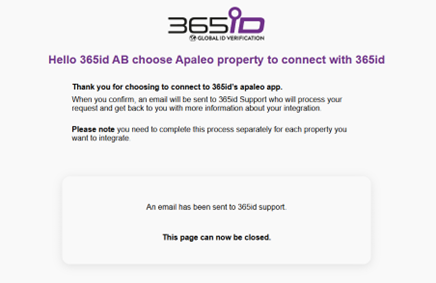
After clicking  “Confirm” a box will appear with this information that will be sent our support@365id.com. When Apaleo integration is updated and done from to our end our support team will contact you. 

Work flow: 

  • Scan the document in the 365id Scanner
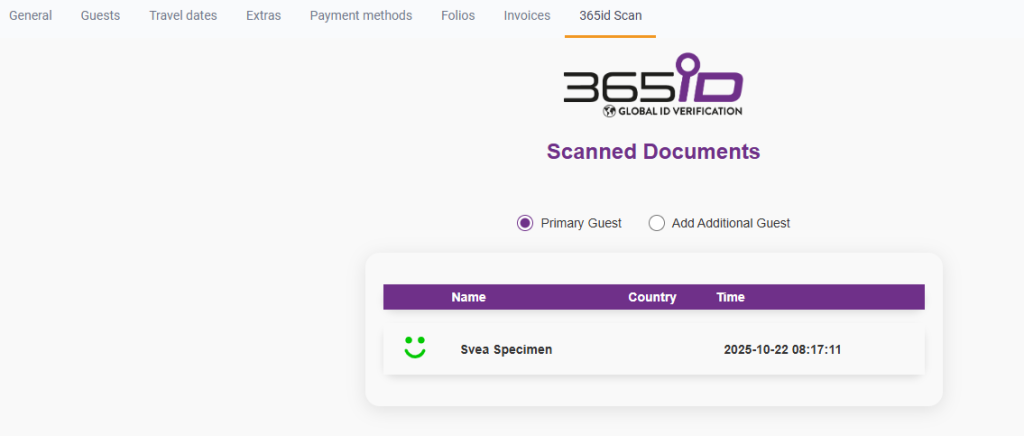
  • Click on 365id Scan tab to see the scanned document
  • Select if it is a primary guest or an additional guest that the document belongs to
  • Click on the scanned document
  • Click on the Guests tab to see the document information

To disconnect click on the 3 dots to the right. Then click “Disconnect app” 

To contact 365id email our 24/7 support at support@365id.com

Prerequisites:

  • First you need to contact support@365id.com so that we can delete the subscriptions that is setup for your hotel

Once you get a confirmation from our support team that they have deleted all the subscriptions, then complete the following steps to disconnect the app from your Apaleo account.

  1. Go to a Reservations page for the property that you want to disconnect
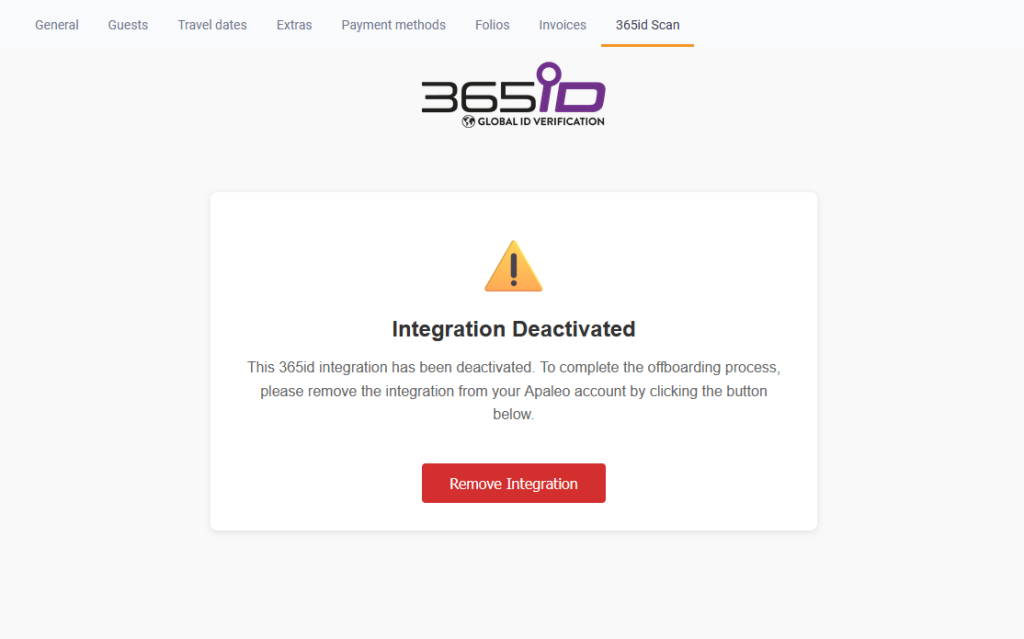
  2. Press the 365id Scan tab
  1. Press the Remove Integration button
  2. Refresh the page and the 365id Scan tab will be removed


To disconnect the 365id app:

  1. Log into the Apaleo Dashboard
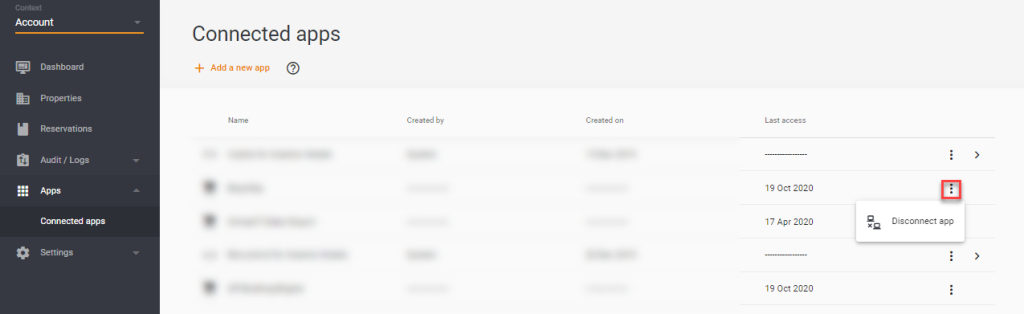
  2. Navigate to the Apps section and click Connected apps
  3. On the Connected apps page, use the three dots on the 365id app to view the Disconnect app icon
  4. Click the Disconnect app icon to disconnect the app from your account

FAQ

Yes,  our cloud based 365id scanners can be used at multiple check in counters/desks, depending on your hotel’s needs. 

365id supports passports, identity cards,  and driver’s licenses, from all the countries around the world.  

After the document is scanned and verified, the guest’s information is securely sent to Apaleo PMS in real time, reducing manual data entry.

You’ll need a 365id scanner, an internet connection, and access to your Apaleo PMS. 

Yes, 365id is fully compliant with GDPR and other data privacy regulations. All scanned data is handled securely.

For assistance, contact the 365id support team via support@365id.com

Contact us

Porträtt Marcus Mellberg 365id

Marcus Mellberg,
Sales Manager

I will be more than happy to assist you if you have any questions or other enquiries. Contact me through the form or use the contact info below.

marcus.mellberg@365id.com
+46 10-12 21 915